CeDSoFt's blog

lundi, février 04, 2008

Reportage 01net : Manipuler ses photos sur la petite surface des grandes surfaces.

Voici un reportage vidéo bien sympathique de 01net sur la Microsoft Surface et ses applications. Cette dernière étant présentée à la Sorbonne par Bill Gates himself à l'occasion de la prochaine Imagine Cup.
La vidéo conclue en montrant un iPhone avec PhotoBoard sur lequel il est déjà possible de manipuler ses photos :-)

Lien vers l'article et la vidéo


J'ai particulièrement apprécié le reportage pour sa réalisation et sa pointe d'humour (parfois sarcastique) :-)

Merci à badih de la communauté iPhon.fr de m'avoir signalé ce reportage.

This video shows the Microsoft Surface presentation by Bill Gates when he came in Paris (La Sorbonne) for the Imagine Cup 2008.
The voice-over comments are quite funny and a little bit sarcastic.
It ends by showing an iPhone with Photoboard, saying that we can already play with our photos on it :-)
(Sorry for the lack of on-video translations.)

Libellés : , , , , ,

lundi, janvier 14, 2008

PhotoBoard 0.4.0 is out

Major changes : loads pictures from the classic photo library, better multi-touch movement algorithm.
See the previous post below for details / video.

Todo in the next version :

  • Keep the full resolution of camera roll's pictures
    That will also be a way to add high resolution pictures to Photoboard since the photo library ones are resized by iTunes
  • Save the Photoboard screenshot
    Allow user to send it by mail, to the camera roll, etc.
  • Enable fullscreen option for picture
  • Enable image deletion
  • ...

Libellés : , ,

lundi, janvier 07, 2008

PhotoBoard 0.4.0 in progress

PhotoBoard 0.4.0 is currently in progress.

There are two major changes :

  • Pictures can be added via the native photo library (like Photo.app classic)

    It's now easier to add the iTunes synchronized pictures from user albums, camera roll, etc.

    iPod Touch users will appreciate this ;-)

  • Multi-touch algorithm improved (Julian Asamer's algorithm)

    Allows user to zoom and rotate a specific spot of the image. The picture doesn't force to center anymore when zoomed.

    This is the work of Julian Asamer, a young talented iPhone developer who made Fractalicious.

  • Other changes : Keep ratio aspect (no more distorted pictures), quicker loading time, optimization of memory usage, etc.
There are still some tests and fixes before a public release but this version should be available this week.

Video preview:


Libellés : , , ,

vendredi, décembre 28, 2007

PhotoBoard upgrade to 0.3.1 - Multitouch photo browser

PhotoBoard alpha 0.3.1 is now out.

Changes :

  • Settings menu enabled (user can change the wallpaper brightness)
  • Bring the pictures on top when touched (change layers order)
  • Allow user to add photos from a list of thumbnails / names (instead of adding them without selection)
  • Allow jpg and png files
  • Resize pictures when loading them to improve performance (max bounds are 800x800);
  • Keep ratio aspect (for example, if you have a square picture, it will not stretch to 4/3 ratio).
  • Some minor graphics improvements

iPod touch user :
Since iPod touch doesn't have a camera roll, you need to manually add the pictures in the /var/root/Media/DCIM/100APPLE/ directory

Todo in next versions :
What would be good for both iPod/iPhone users is to load pictures from photo library like in the Photo.app (iSketch.app has a menu like this so I'm sure it's possible)

I've also noticed than Photo.app has a progressive picture loading. It would be interesting to use it in PhotoBoard to remove loading time.

Libellés : , , ,

mardi, décembre 18, 2007

PhotoBoard.app - Multitouch photo browser

PhotoBoard alpha 0.2.1 is out.

Features :
  • Multi pictures support
  • Load pictures from Camera Roll
  • Keep user wallpaper
This is a new app name for Multitouch.app.
You can add pictures from Camera Roll by touching the screen and loading them from the popup menu.

The app is available from Installer.app source : http://prog.cedsoft.free.fr

Todo in next versions :
  • Camera Roll, Photo lists to load (like the classic Photo.app)
  • Setup screen : set wallpaper opacity
  • Rotate the full board
  • Enable videos adding/playing
  • etc.


Libellés : , , ,

samedi, décembre 15, 2007

iPool for iPhone : Project started


I was thinking about making a pool game for a while, using the balls physics I've used in iSnake.
I've just started to code it. More informations soon.

Libellés : , , ,

mercredi, novembre 28, 2007

Minority report like interface app for iPhone released


The app is now available on my Installer.app reposiroty

You can replace the images by yours.
Grid.png is a 2x zoomed semi-transparent picture, you can use it for clouds for example. It's just to add a 3D effect.

I can't wait to see your modded apps :-)
You can send me them to make a gallery on the blog.

Cédric.

L'application est maintenant disponible sur mon dépôt Installer.app

Vous pouvez remplacer les images par les vôtres. Grid.png est une image semi-transparente zoomée 2x, vous pouvez l'utiliser pour afficher des nuages par exemple. Ceci dans le but d'ajouter un effet 3D.

Je suis impatient de voir vos appli custom :-)
Vous pouvez me les envoyer dans le but de faire une gallerie sur le blog.

Cédric.

Libellés : , , ,

Multitouch image rotation and scaling (Minority Report like)

I just finished to add the zoom and translation to my previous app which rotates a picture with two fingers.

The result looks like the Minority Reports interface... (and the "Microsoft Surface" one as well).This technology is now in your pockets...


I'll publish the App and sources as soos as possible (some stuff are still to fix in the App).


Je viens juste d'ajouter le zoom et les translations à ma dernière app qui permet de faire tourner une image à l'aide de deux doigts.

Le résultat ressemble à l'interface visible dans Minority Report (ainsi qu'à celle de la "Microsoft Surface"). Cette technologie tient maintenant dans une poche de jean...

Je publierai l'application et les sources dès que possible (il me reste quelques détails à régler).

Libellés : , , , ,

mardi, novembre 27, 2007

Image rotation on multitouch screen (iPhone)

I just made a video about the use of the multitouch screen in iPhone programming. The image can be rotated on itself by using fingers.

The next step will be to add a zoom/scaling effect (like in the Photo.app) to do a "Minority Report" style image viewer :-)

App and sources will be soon available on this blog...


Je viens juste de faire une video sur l'utilisation de l'écran multitouch de l'iPhone. L'image peut subir une rotation à l'aide des doigts.

Le prochain pas sera d'ajouter un effet de zoom (comme l'application Photo) pour faire un visualiseur d'images dans le style "Minority report" :-)

Application et sources bientôt disponibles sur le blog...

Libellés : , , ,

vendredi, novembre 23, 2007

iSnake for iPhone : Alpha 0.4.0 is out

I've got many mails / comments for the current iSnake iPhone game, thanks guys :-)
So, I've tried to include all your requests about scores, silent mode, pause difficulty, etc. in this version.

So here come the major changes :

  • Scores diplays on the top left hand corner. (it's quite small, I don't know how to use more fonts to make it looks better in the whole game skin).
  • You can pause the game by touching the bottom black bar on the screen.
  • You can set the silent mode by setting the volume at minimum (the vibration will turn off as well)
  • Vista thing : I let you discover how Snake likes it...
  • Brand new icon : Thanks to Steven Ligatsa
The minor changes :
  • The app is now ready for custom/skin integration from Installer.app
  • The "Hi Score" now link to the iSnake score board. (which is not working yet...)
  • There are less vibrations (the eating-apple one was too much...)
Next step :
  • Levels & custom levels
  • Silent mode by switching the button
  • Working online score.

J'ai reçu plusieurs mails et commentaires pour la version actuelle du jeu iSnake pour iPhone, merci à tous :-)
J'ai donc essayé d'inclure toutes vos demandes concernant les scores, le mode silencieux, la pause, la difficulté dans cette version.

Donc voici les changements majeurs de cette version :
  • Affichage des scores dans le coin en haut à gauche. (C'est assez petit/discret, je ne sais pas encore comment changer la fonte pour une meilleur intégration au skin).
  • Vous pouvez mettre le jeu en pause en appuyant sur la barre sombre dans la partie inférieur de l'écran.
  • Vous pouvez rendre le jeu silencieux en diminuant le volume au minimum (les vibrations cessent également)
  • Le bidule Vista : Je vous laisse découvrir comment Snake l'apprécie...
  • Nouvel icône : Merci à Steven Ligatsa
Les changements mineurs :
  • L'application est maintenant prête à utiliser les customs/skins depuis Installer.app
  • Le bouton "Hi Score" affiche maintenant le tableaux des scores. (qui n'est pas encore fonctionnel...)
  • Il y a moins de vibrations (vibrer à chaque pomme mangée était un peu trop...)
Prochaine étape :
  • Niveaux et customs de niveaux.
  • Mode silencieux par le bouton dédié de l'iPhone.
  • Score en ligne fonctionnel

Libellés : , , , ,

2D physics programming project

Why bringing physics simulation to a game / app ?
Just because it's the best way to have a real feeling of animation/interactions between objects and forces (gravity, explosions, etc.) in a game.

First step : Dynamics
What I've done with iSnake and its GameOver screen is to bring Dynamics problem to the iPhone. Basically, how the balls are moving/accelerating depending on the gravity (given by the accelerometer), their masses and the air friction.
To make the balls bouncing each other, I've added a collision detection algorithm with momentum conservation. (detection collision between ball was very simple : calculate the distance)

Next step : Bringing rotation after collision
The bouncing balls problem was quite simple but now, I have to compute rotation and its momentum on objects.
If you hit a rectangle object in a corner, it will not move straight but rotate. This is the next physic law about torques.
I need to experiment collision detection algorithm between simple shapes : rectangles and polygons.
Then, I'll have to calculate the rotation depending on the collision impact (torque).
Example : Contacts between rigid bodies

After that, there are some interesting stuff to add, all concern constraints : springs, rotation axis, etc.


Resources :
http://www.pfirth.co.uk/ (physics programming)
http://chrishecker.com (physics theories and programming)
http://www.myphysicslab.com/contact.html (physics theories and programming)
http://www.kloonigames.com/blog/games/crayon/ (crayon physics game : worth trying :-))


Examples of 2D rigid body collisions apps

2d Physics Demo v1.0


Crayon Physics


Libellés : , , , , , , ,

samedi, novembre 17, 2007

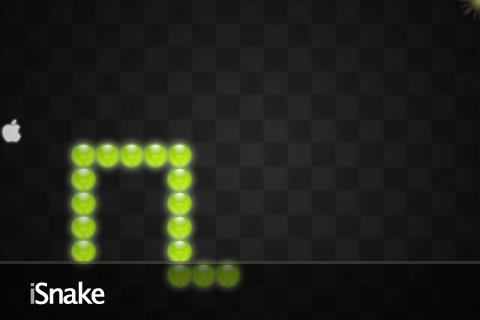
Snake game for iPhone - Alpha 0.3.0 released

I've just added :

  • Sound
  • Vibrations
  • Menu
  • Splash Screen
Special credit for Oxbow (original idea) on this thread (French)

You can test it with the Installer.app repository, just add the source : http://prog.cedsoft.free.fr

Libellés : , , , ,

vendredi, novembre 16, 2007

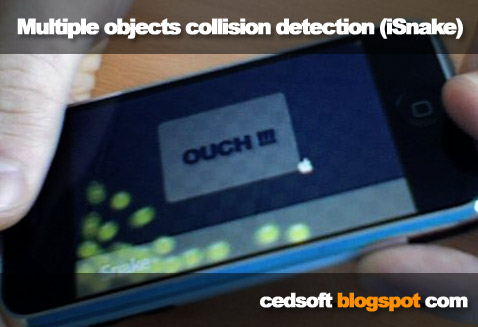
Multiple objects collision detection algorithm (in iSnake)

I've just added a multiples objects collision detection (bouncing balls) to my current iPhone app development : iSnake.

It's another step to my platform game development, but now I have most of the parts of a pool game...

You can download the current version of this game on my test repository (Installer.app) : prog.cedsoft.free.fr

Je viens d'ajouter un algorithme pour la detection d'objets multiples (balles rebondissantes) au jeu iSnake pour iPhone.

C'est un autre pas vers le développement de mon jeu de plateforme, mais là j'ai pas mal d'éléments pour commencer un jeu de billard...

Vous pouvez télécharger la version actuelle de ce jeu sur mon dépôt de test (Installer.app) : prog.cedsoft.free.fr

More about collision detection and physics programming :


Video :


Libellés : , , , , , ,

mardi, novembre 13, 2007

All my fresh stuff and betas in AppTap Installer

Download beta apps, skins, levels easily with the repository prog.cedsoft.free.fr.

Beta testers and designers:
You can access and test the fresh apps before they are being published.
You can sent me your skins/mods/customs to share your last creations through the repository.

Gone in 30 seconds
You just have to add the source "prog.cedsoft.free.fr" in the AppTap Installer source list.

Téléchargez mes applications beta, skins, niveaux en 2 clics grâce au dépôt prog.cedsoft.free.fr

Beta testeurs et designers:
Vous aurez accès avant tout le monde aux applications en cours de développement.
Vous pouvez me soumettre vos skins/mods/customs afin de faire partager facilement votre dernière création.

Installation en 30 secondes
Il suffit simplement d'ajouter la source "prog.cedsoft.free.fr" dans l'application AppTap Installer de votre iPhone.


Libellés : , , ,

mardi, novembre 06, 2007

Développement iPhone : simulation de la gravité et détection de l'orientation

Après m'être intéressé de près au développement sur l'iPhone, j'ai publié un petit tutoriel sur le développement et la compilation d'application native sur l'iPhone.

Celui ci est publié sur l'excellent blog/forum iPhon.fr (l'application lui est dédié) qui m'a aidé à me procurer un iPhone en avant première et à le débloquer facilement afin de pouvoir y développer des applications "faites maisons" (ou "homebrew" dans le jargon...)

Voici donc ma première application utilisant le fameux accéléromètre de l'iPhone afin de simuler la gravité.
Merci à Sean Heber pour les sources de ses applications iApp-a-day (Pumpkin m'a beaucoup aidé pour l'accéléromètre.) et aux "early developpers" du blog medallia.

Vidéo de l'application :
Music de fond : PhatPhrog - Feeling So Good (un petit peu de pub :-))

Téléchargement et installation de l'application :  
Voici deux façon d'installer l'application sur l'iPhone:

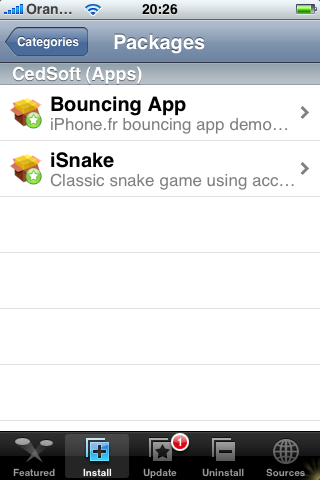
- Installation automatique (apptap Installer)
Dans l'application "Installer", ajoutez les sources "http://s.imov.eu"
Choisir "Bouncing App" dans le dépôt "Apps from iPhon.fr"
Et voilà ! L'application apparaît dans le menu principal.

- Installation manuelle (ssh / copie)
BounceApp.app (clic droit --> enregistrer sous...)
Pour installer l'application, il suffit de copier le package BounceApp.app dans le répertoire /Applications de l'iPhone et de rendre le fichier App exécutable. ($ chmod +x)
Il y a différentes manières de le faire (via SSH, le terminal, mobileFinder, etc.)
Plus d'infos dans la partie développement du forum francophone d'iPhon.fr.

Source de l'application : 
A compiler avec le toolchain du tuto ("$ make package")

Evolutions et projets en cours : 
Cette application est minimale mais c'est un premier pas dans mon projet à plus long terme : Spherik.
Il s'agit du portage iPhone d'un jeu de plate-forme que j'avais développé sur calculatrice Texas Instrument TI-89 (ASM 68k + C) ou l'on dirige une bille dans de vastes niveaux truffés de pièges, tapis roulants, plates-formes mouvantes, etc. 


Plus d'infos sur le développement iPhone : 

Libellés : , , ,